Receipt Calculator
A receipt calculator does the running total for you — add each item, set the tax rate, and the total updates as you type. The builder below is exactly that: enter what is on the receipt, adjust the quantities, and the subtotal, tax, and total recalculate instantly. It runs in your browser, needs no account, and you can export the finished receipt as an image.
- How do I calculate a receipt total?
- Add each item with its price and quantity, and the builder sums them into a subtotal. Enter the tax rate that applies and it adds the tax and shows the final total, recalculating the moment you change a quantity or price. It handles the arithmetic — multiplying quantity by price for each line, totalling the lines, and applying the tax — so you do not have to. When the numbers are right, you can export the receipt as a PNG for free.
Filas adicionales opcionales impresas bajo el encabezado — p. ej. n.º de tienda, terminal, tipo de pedido.
Add your own total lines — a discount (use a negative amount), service charge, deposit or rounding. They fold into the total.
Add up a receipt in your browser
A receipt calculator is really a running total that knows about quantities and tax. Instead of tapping figures into a plain calculator and hoping you kept the tax straight, you enter each item once, set the rate, and the tool keeps the subtotal and total correct as you go. The builder below does exactly that: add what is on the receipt, change a quantity, and the numbers underneath re-add themselves without any effort from you.
Because it runs in your browser, nothing you type is uploaded, and there is no account to open before you start adding things up. When the total is right, the calculation is already a receipt — you can put your business name on it and export it as a PNG for free, rather than copying a number somewhere else. It is a calculator and a receipt maker in one, which is what makes it quicker than doing the maths by hand.
How a receipt total is built
Every receipt total is built the same way. Each line is the item's price times its quantity; the line totals are added into a subtotal; and the tax rate is applied to that subtotal and added on to reach the final figure the customer pays. It sounds simple, and it is — but it is exactly the sequence that is easy to get wrong by hand, especially once several quantities and a tax rate are involved.
The calculator holds all three steps at once, so you see the parts as well as the answer. The diagram below shows a worked receipt, with the total highlighted: three items add to the subtotal, the tax is its own line, and the total sits at the bottom. Keeping the subtotal and tax visible, rather than just a single sum, is what lets you check the figure rather than trust it blindly.
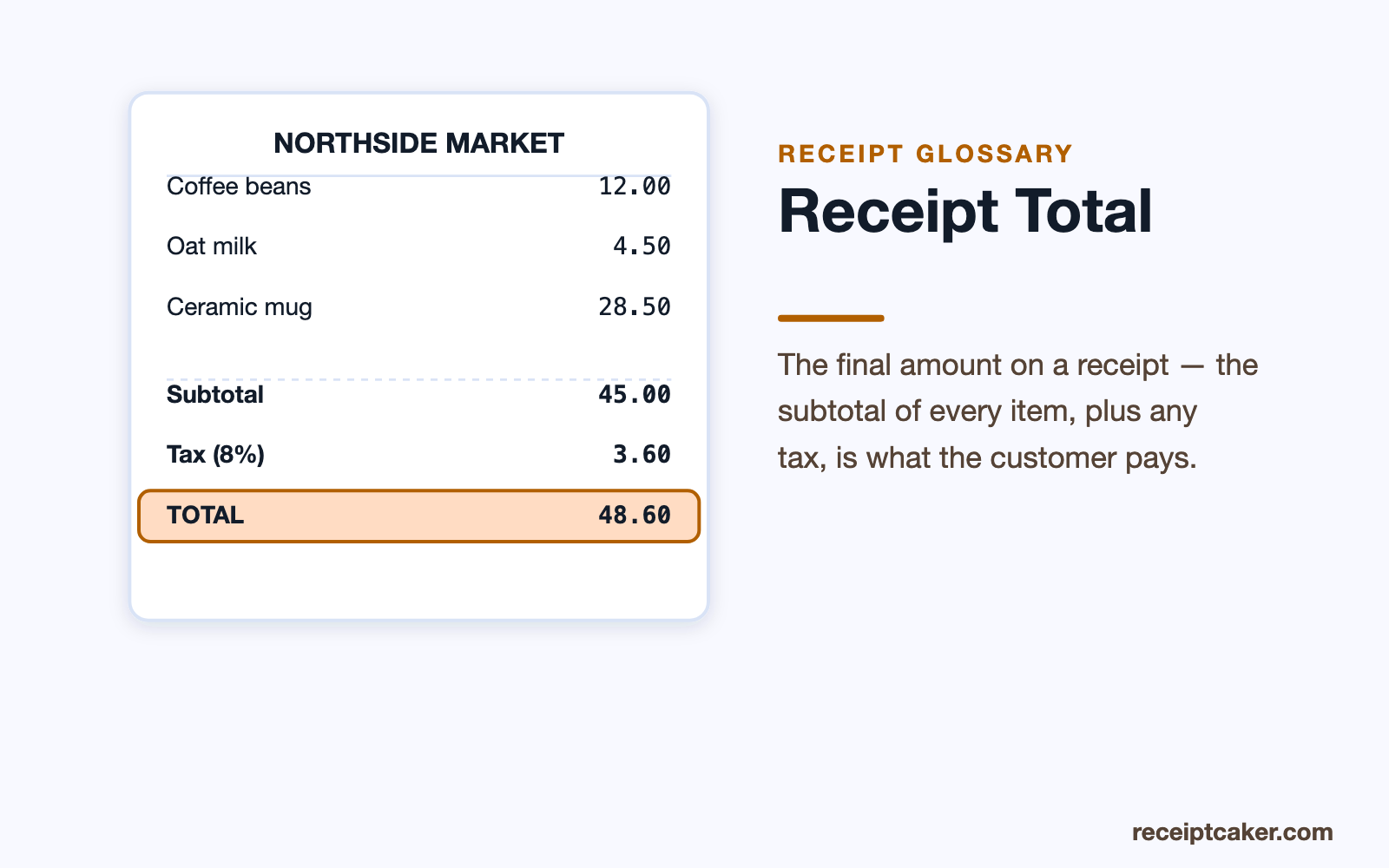
Subtotal, tax, and the final figure
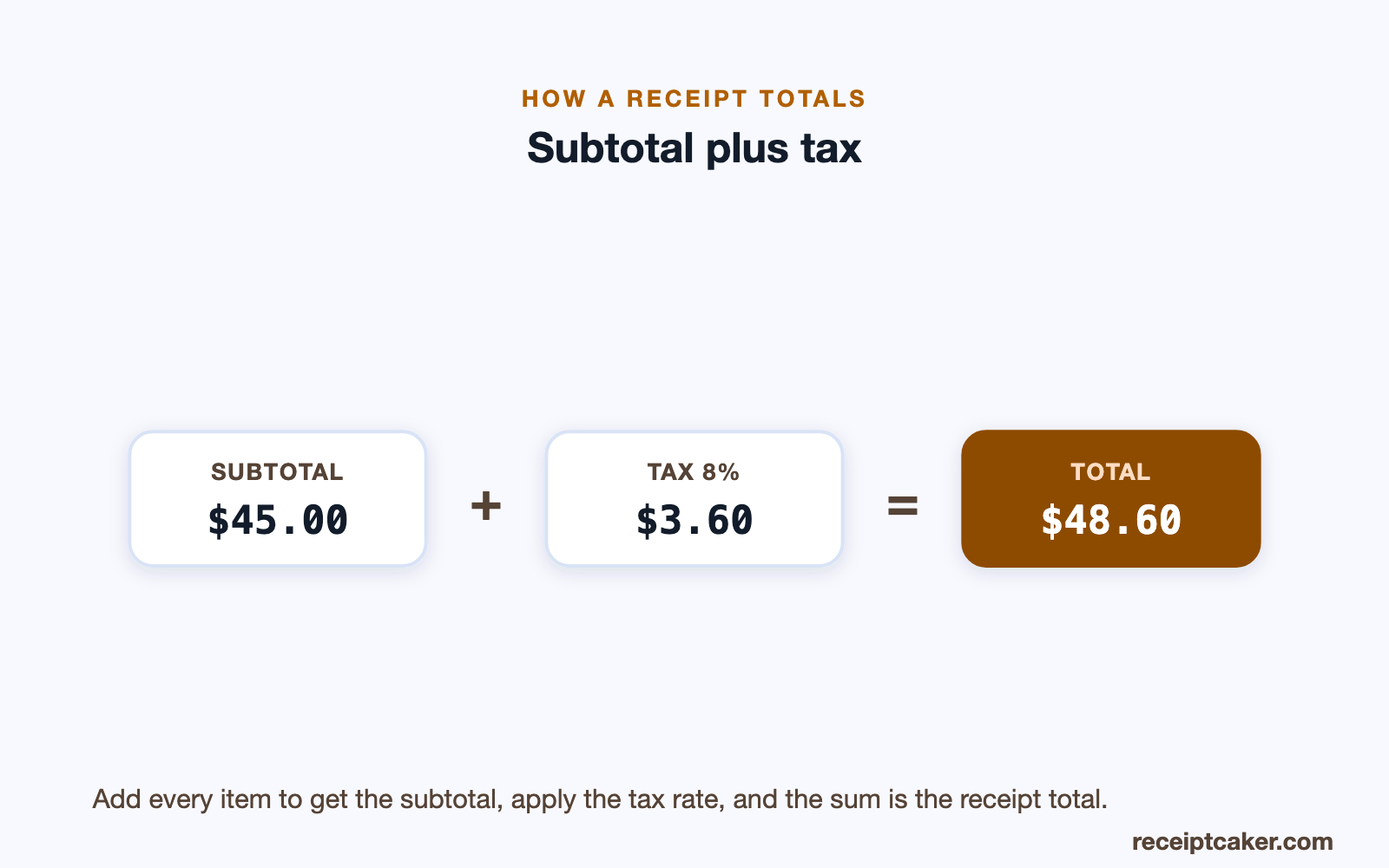
The step people most often fumble is the tax. Sales tax is a percentage of the subtotal, added on top — so a subtotal of 45.00 at an 8 percent rate carries 3.60 of tax, for a total of 48.60. The calculator applies whatever rate you enter automatically, which means you never have to work out the percentage yourself or remember to add it back in at the end.
Because rates differ from place to place, and sometimes from city to city, the right rate is the one for where the sale happens; the sales tax calculator can help you find it if you are unsure. Once it is entered here, the total stays correct no matter how the items change. The diagram below shows the arithmetic — subtotal plus tax equals total — that the tool runs for you on every edit.
From a calculation to a receipt
The advantage of calculating a receipt in a receipt builder, rather than on a phone calculator, is that you end up with the document as well as the number. When the items and tax total the way you want, the same screen is a receipt you can hand over or file — add a business name and export it, and the working becomes a record. For a small seller totalling a customer's order, that saves a second step.
If you need a particular kind of receipt once the total is settled, the matching tools start from the same builder: a cash receipt for a cash sale, a payment receipt to confirm an invoice was paid. The calculation carries straight across, so you are never re-entering the figures. The point of a receipt calculator is speed and accuracy together — the maths done for you, and a clean receipt at the end of it.
Honest totals
A receipt calculator should add up a real order or a real receipt. It is a simple tool with little room for misuse, but the same rule applies as to every document here: the figures should reflect what was actually bought and the tax that genuinely applies, not a total invented to mislead someone. The sample items in the builder are generic placeholders to replace with your own.
Receipt Caker does the arithmetic and lays out the receipt; it does not process a payment or verify a sale, and everything happens on your own device. Used straight, it is just a faster, more accurate way to total a receipt than doing it by hand — which is the whole reason to reach for it.