Order Form Generator
An order form is how a customer tells you exactly what they want — the items, the quantities, where it goes, and how they will pay. Set out your products as lines, and the builder below turns it into a clean order form you can print, share, or fill in per customer. It runs in your browser and exports free as an image.
- How do I make an order form?
- Enter your business, list the products or services a customer can order with their prices, and add fields for the customer's name, delivery details, and payment. The builder totals the order as items are added, and you export it free as a PNG or a Pro PDF to print or send. An order form records what a customer wants and starts the sale; once you are ready to bill for it, the same details become an invoice.
Lignes supplémentaires facultatives imprimées sous l'en-tête — p. ex. n° de magasin, terminal, type de commande.
Add your own total lines — a discount (use a negative amount), service charge, deposit or rounding. They fold into the total.
Capture an order cleanly
An order form is where a sale begins: it lets a customer set out exactly what they want, in what quantity, where it should go, and how they will pay. A clear form means fewer mistakes than an order taken on a scrap of paper or half-remembered from a call. The builder below turns your products into lines a customer can order from, totals the order as it is filled in, and gives you a clean form to print, share, or complete per customer.
It runs entirely in your browser, so your product list and any customer details stay on your device, and the form exports as a PNG for free. For a business taking orders regularly — a bakery, a print shop, a wholesale round — the Pro upgrade adds a watermark-free PDF and saves your details across forms. The totals are handled for you, so an order adds up correctly whether the customer fills it in or you do.
What an order form includes
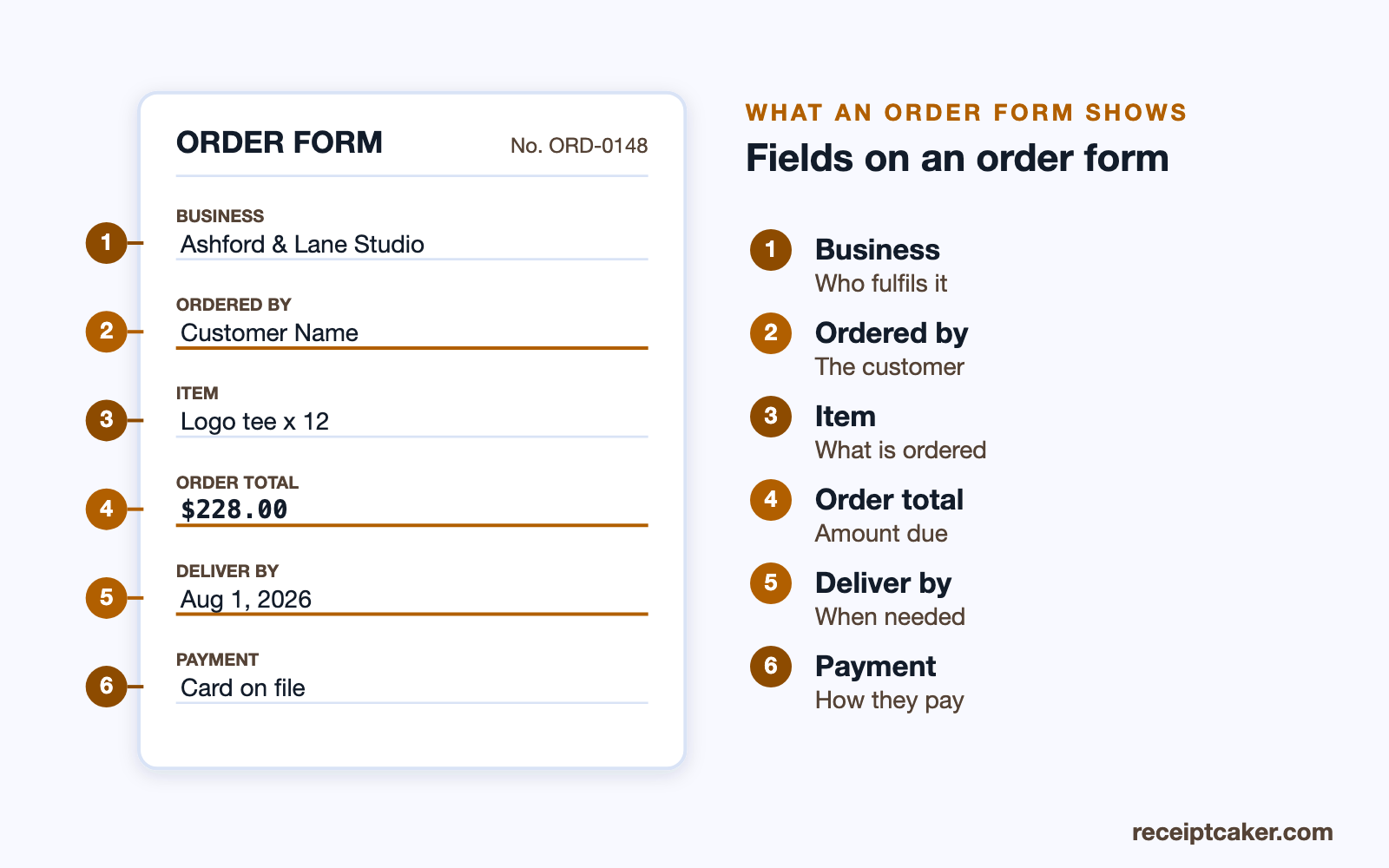
An order form names your business and leaves room for the customer's details — name, contact, and a delivery or collection address. Its body lists what can be ordered with prices and space for quantities, so the order totals as it is completed, and it closes with the payment method, an order number, and the date. Because the form both presents the options and records the choice, laying the items out clearly is what makes it quick for a customer to fill in without back-and-forth.
A well-structured form also cuts errors on your side. When the customer, the items, the quantities, and the delivery details are all captured in one place, you fulfil the order from a single clear record rather than piecing it together. The diagram below labels the fields an order form carries.
Order form versus invoice
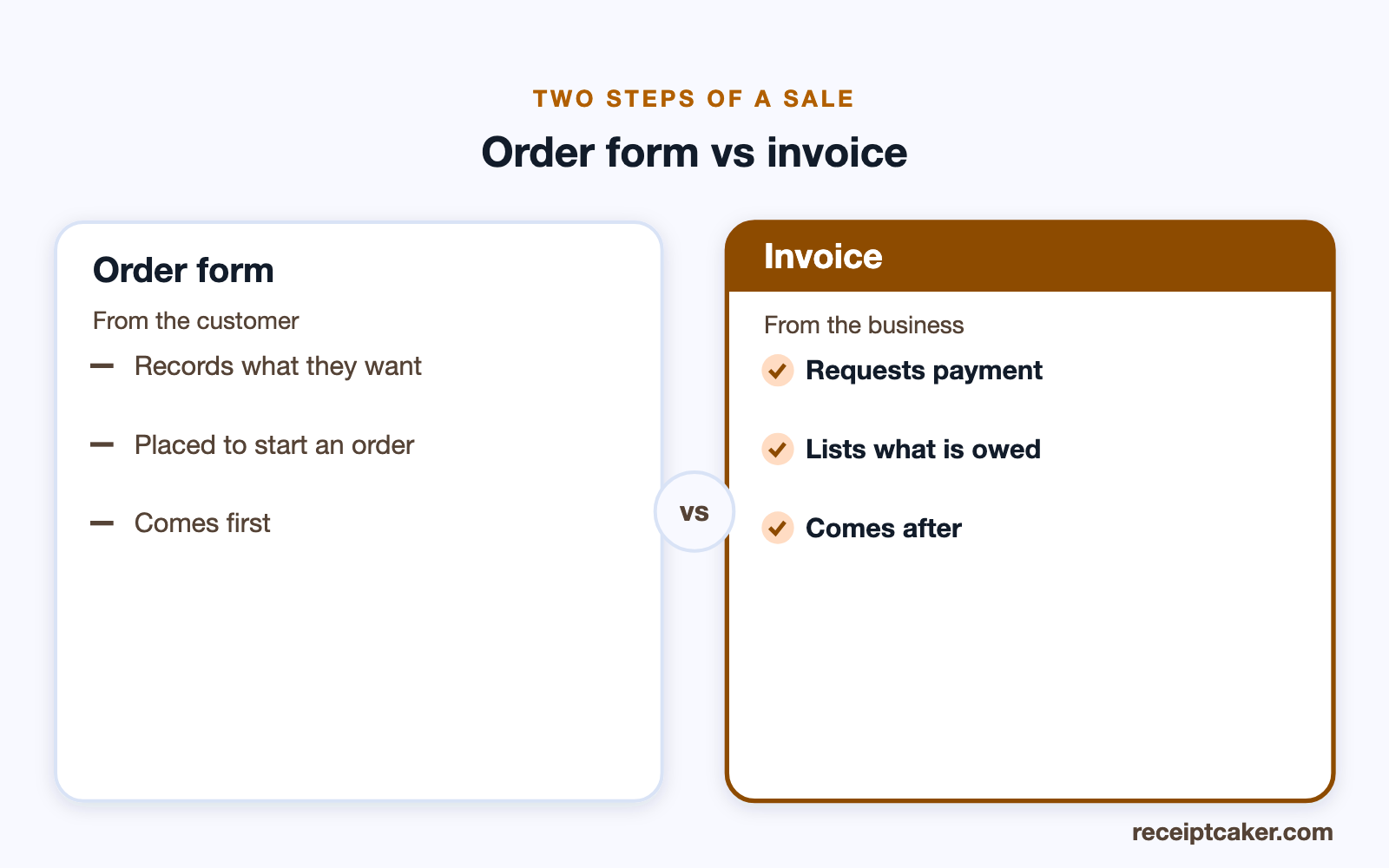
An order form and an invoice sit at opposite ends of a sale. The order form comes first: the customer uses it to say what they want, which sets the sale in motion. The invoice comes after: you send it to request payment for what was ordered and supplied. The items usually flow straight from one to the other, so what a customer selected on the form becomes the lines on their bill.
Keeping the two distinct avoids confusion. An order form is not a demand for payment, and an invoice is not the place to still be choosing products — mixing them leaves a customer unsure whether they are ordering or being billed. Take the order on the form, then raise the invoice when you are ready to be paid; the comparison below shows how the two steps relate.
Order form or purchase order?
Order forms and purchase orders both list items and quantities, but they point in opposite directions. An order form is used by a customer to order from a business — a catering order, a wholesale order, a print run. A purchase order is issued by a business to a supplier, as part of how it buys what it needs. One starts a sale to a customer; the other starts a purchase from a supplier.
Which you need depends on which side of the deal you are on. If customers are ordering from you, the order form is the right document; if you are the one procuring from a supplier and need to authorise and track the purchase, the purchase order generator is built for that. Using the right one keeps your records straight, since a sale and a purchase are recorded differently in your books.
Honest order forms
An order form should record an order a customer genuinely placed, at the prices you actually offer. It is the starting record of a sale, so listing prices you will not honour, or recording an order the customer did not agree to, misrepresents the deal from the outset. Every sample in the builder — the business, the products, the customer — is a generic placeholder to replace with your real order.
Receipt Caker produces the form and does no more. It does not process the order, take payment, or fulfil anything; it lays out and totals what you enter, on your own device. Kept honest, an order form is simply how a business takes a clear order and a customer records a clear choice — which is the whole reason to make it accurate, so the invoice and the delivery that follow match what was agreed.