Payment Receipt Generator
A payment receipt is the note you give someone to confirm their payment landed — who paid, how much, how, and which invoice it clears. Fill those in and the builder below lays out a clean receipt you can send the moment the money arrives. It runs in your browser, exports free as an image, and there is no account to open.
- How do I make a payment receipt?
- Enter your business and the person who paid, the amount received, the payment method, and the invoice or order it settles, then add the date. The builder totals it and lays out a receipt you can export free as a PNG or a Pro PDF and send straight away. A payment receipt is issued after money changes hands to confirm it — if you are still asking to be paid, that is an invoice, which the free invoice generator handles instead.
Lignes supplémentaires facultatives imprimées sous l'en-tête — p. ex. n° de magasin, terminal, type de commande.
Add your own total lines — a discount (use a negative amount), service charge, deposit or rounding. They fold into the total.
Turn a payment into a receipt
The moment a client pays, the useful thing to send back is a receipt that confirms it. A payment receipt records who paid, how much, by what method, and which invoice the money clears, so both sides have the transaction closed in writing. The builder below turns those details into a clean receipt: enter the payer, the amount, the method, and the invoice reference, and the preview lays it out ready to export the instant the money lands.
Everything runs in your browser, so the payer's details and the amounts never leave your device, and a complete receipt exports as a PNG for free. If you take payments often, the Pro upgrade adds a watermark-free PDF and saves your business details so they carry across every receipt. The job is small but worth doing promptly — a receipt sent as soon as a payment clears is what keeps your records and your client's in step.
What a payment receipt includes
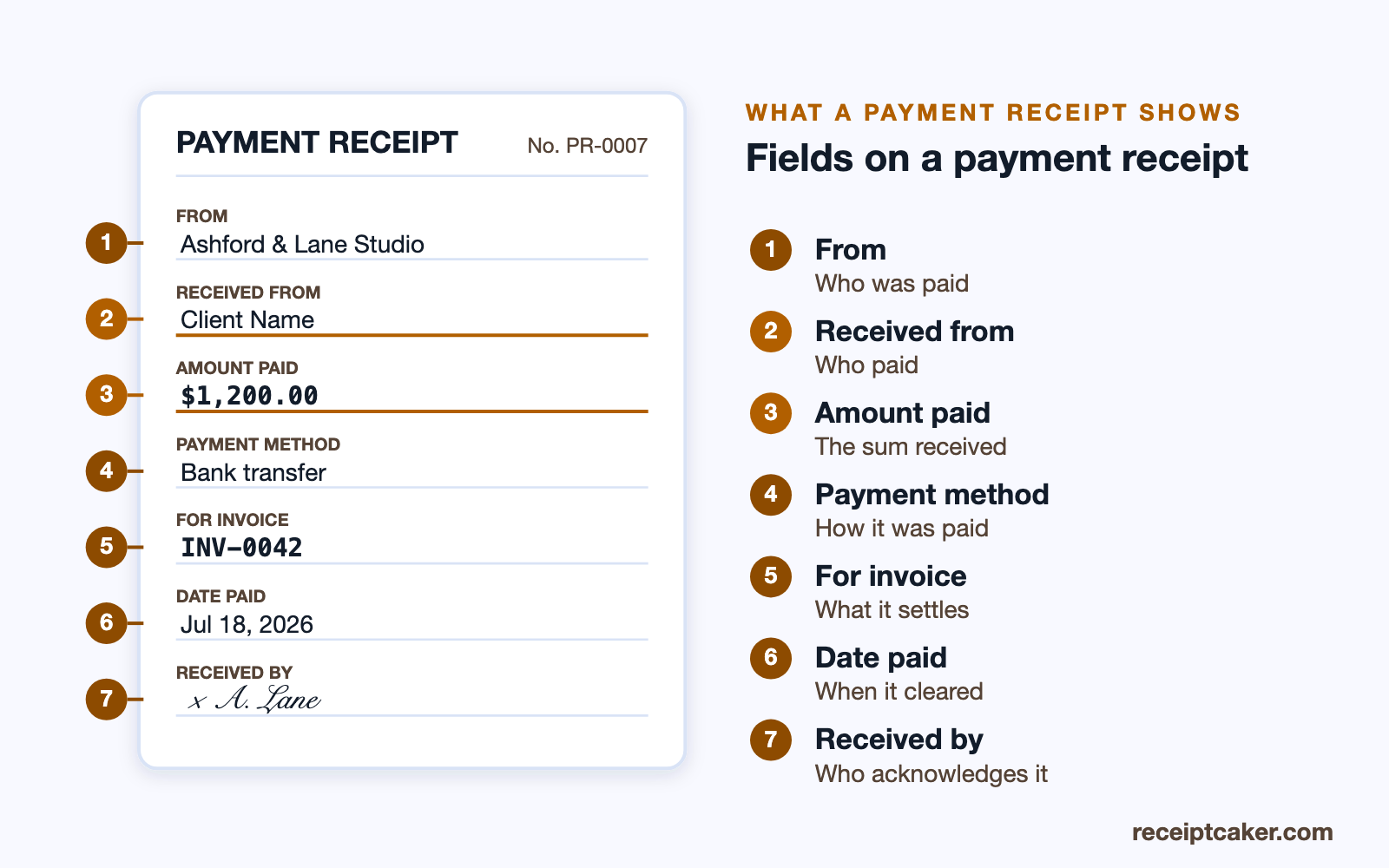
A payment receipt names your business and the person who paid, states the amount received and the date, and records the payment method so the entry can be reconciled against a bank or card record later. It carries a unique receipt number and, where the payment settles a specific bill, the invoice or order it refers to. If the payment is only part of what is owed, it says so and shows the remaining balance; if it clears the account, marking it paid in full removes any doubt.
Those reference fields are what make a receipt more than a thank-you note. The receipt number lets you find the payment again, and the invoice reference ties the money to the bill it settled, so your records reconcile without guesswork. The diagram below labels the fields a complete payment receipt carries.
Payment receipt versus invoice
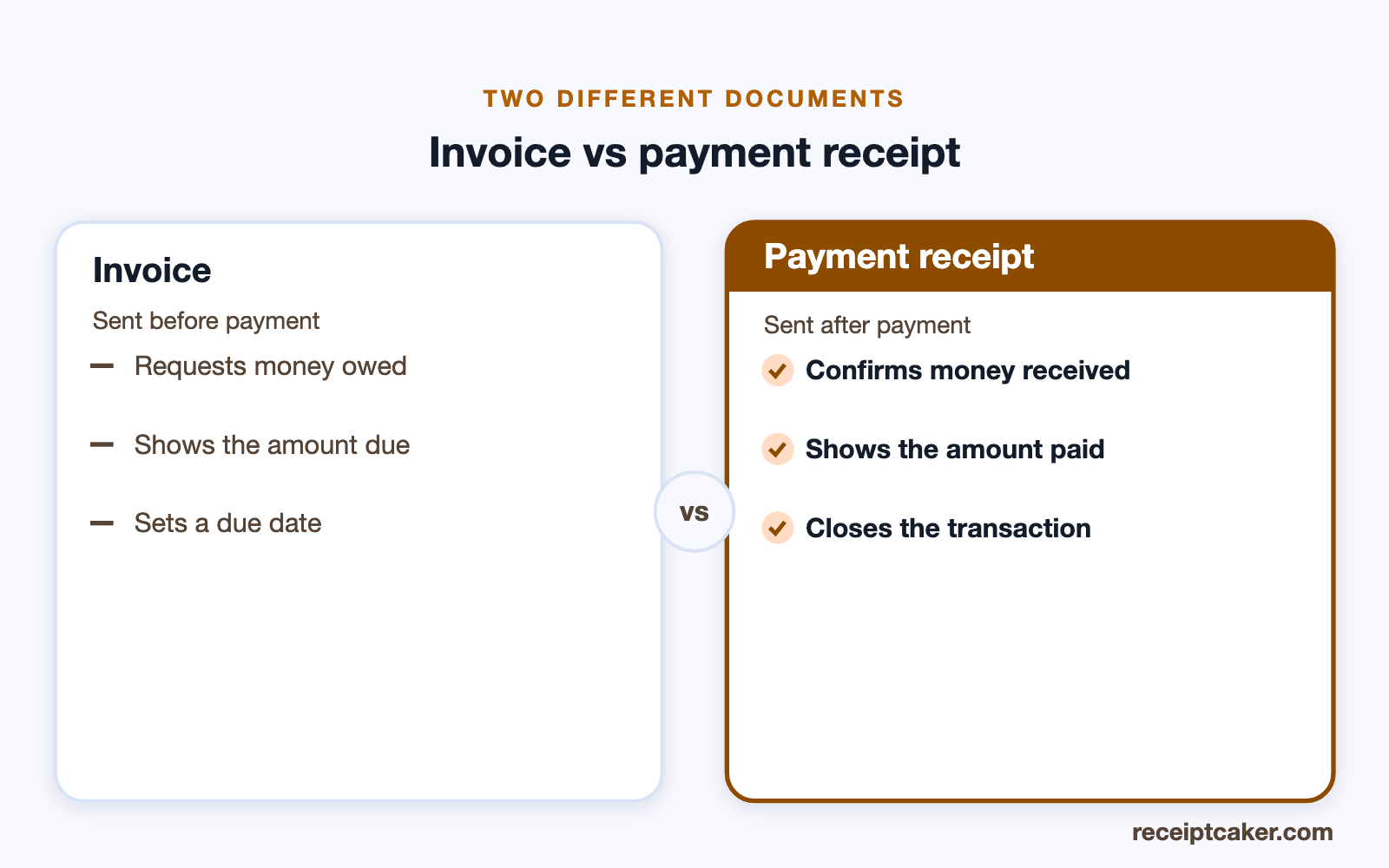
An invoice and a payment receipt are the two bookends of one transaction. The invoice comes first: it is a request for payment that tells someone what they owe and by when. The payment receipt comes after: it confirms the money was received and closes the matter. The same job produces both in sequence, which is why it helps to build them in one place — the invoice to get paid, the receipt to prove it was.
Keeping the two straight matters. A client who is sent a 'receipt' for money they have not yet paid, or an 'invoice' for a bill they already settled, will rightly be confused, and either mistake muddies your records. Issue the invoice to ask for payment, and switch to the receipt only once the money has actually arrived.
Partial payments and keeping records
Not every payment settles a bill in one go. When someone pays a deposit or one instalment of several, issue a receipt for the amount actually received, note that it is a partial payment, and show the balance still outstanding — then issue a final receipt marking the account paid in full when the last payment lands. Recording each payment as it happens keeps the running total accurate and heads off any argument about what has been settled.
Hold on to the receipts you issue. The IRS advises businesses to keep records generally for about three years, and a payment received is income, so an organised set of receipts is part of what supports your return. Because the tool runs client-side, exporting and filing each receipt as you go is the whole of the record-keeping — nothing is stored for you on a server, which is also why none of your figures are exposed.
Receipts for payments that happened
A payment receipt should confirm a payment that genuinely took place. Its entire value is as truthful proof that money was received, so creating one for a payment that never happened — to fake proof of purchase, support a false refund or reimbursement claim, or mislead a landlord or tax authority — is fraud, not paperwork, and it is outside what this tool is for. Every sample in the builder, from the studio name to the amount, is a generic placeholder to replace with the details of a real payment.
Receipt Caker builds the receipt and does no more. It does not process, receive, or verify any payment; it lays out and totals what you enter, on your own device. Used honestly, a payment receipt is simply how you confirm real money changing hands and keep your books straight — which is the only reason to make one. Issuing a receipt for a payment that did not occur misrepresents a transaction and is exactly the misuse this tool is not built for.