Quote Generator
A quote is a fixed price you put in front of a client before the work starts — not a rough estimate, but the number you are committing to. List what is included, add the total and a date the price holds until, and the builder below lays it out as a quote you can send for sign-off. It runs in your browser, exports free as an image, and needs no account.
- How do I make a quote?
- Enter your business and the client, add a line for each item or service with its price, and the builder totals them into the quoted figure. Add a valid-until date so the client knows how long the price holds, set any terms, and export the quote free as a PNG or a Pro PDF to send for approval. A quote is a firm price offer — if you only want to give a rough, changeable figure, that is an estimate, which the estimate generator handles instead.
Lignes supplémentaires facultatives imprimées sous l'en-tête — p. ex. n° de magasin, terminal, type de commande.
Add your own total lines — a discount (use a negative amount), service charge, deposit or rounding. They fold into the total.
Put a fixed price in front of a client
When you are ready to commit to a number, a quote is the document that carries it. Unlike a rough estimate, a quote is a fixed price the client can accept and hold you to, so it needs to be clear about what is included and how long it stands. The builder below sets that out: enter the client, list what the price covers, add the total and a valid-until date, and the preview lays it out as a quote you can send for sign-off.
Everything runs in your browser, so your pricing and client details never leave your device, and a complete quote exports as a PNG for free. If you quote work regularly, the Pro upgrade adds a watermark-free PDF and saves your business details so they carry across every quote. The maths is handled for you — the lines total into the quoted figure — so the number the client sees is the number you meant to offer.
What a quote includes
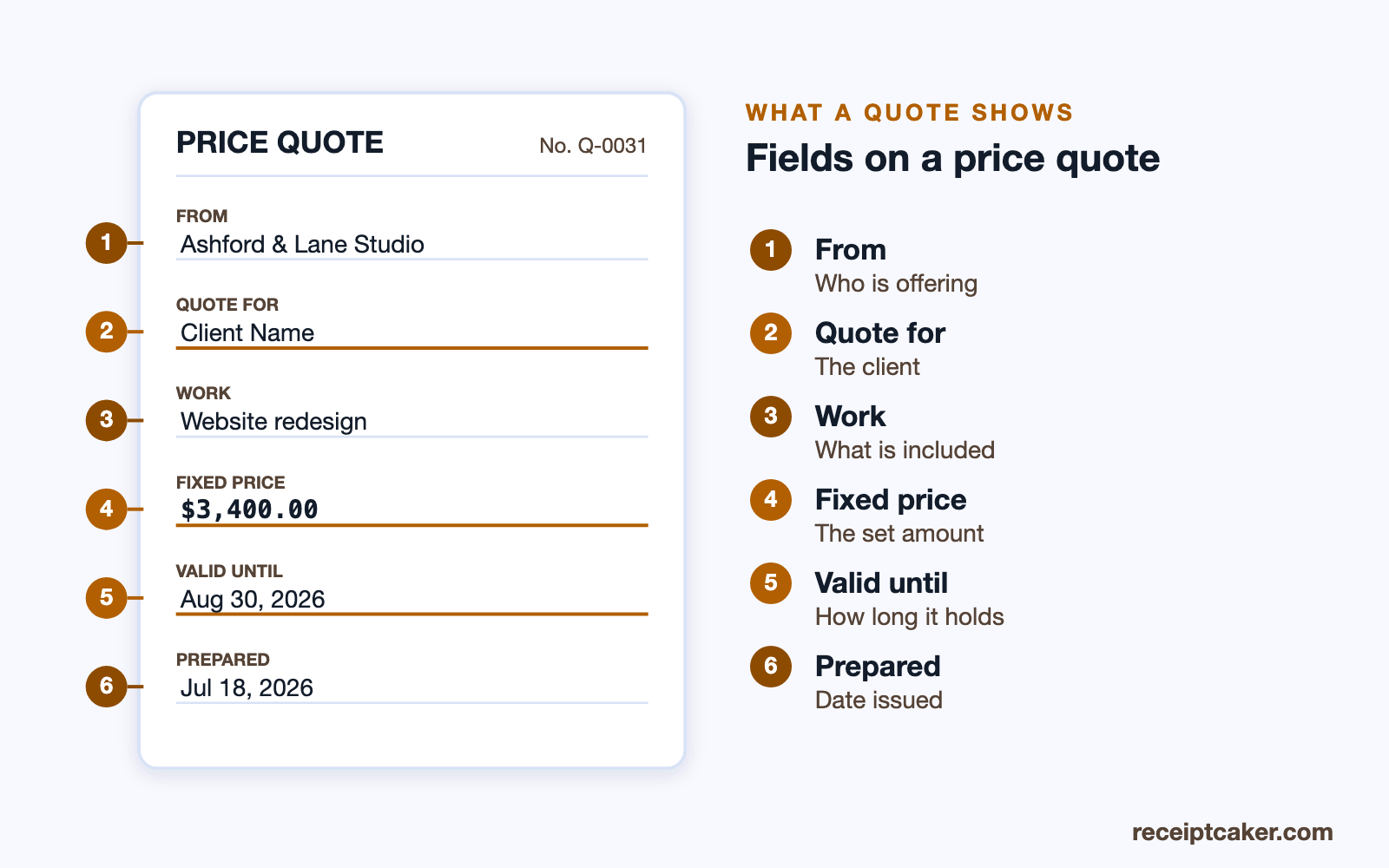
A quote names your business and the client, carries a quote number and a date, and lists each item or service with its price, so the client can see how the total is built. It shows the quoted total, any tax, and a valid-until date that sets how long the price holds. Just as important is a short note on scope — what the quote includes and what it does not — because that scope is exactly what you are pricing, and a figure without it invites disagreement later.
Those fields are what let a client say yes with confidence. When the quote spells out the work, the price, and the window it holds for, accepting it is a simple decision rather than the start of a negotiation. The diagram below labels the fields a complete quote carries.
Quote versus estimate
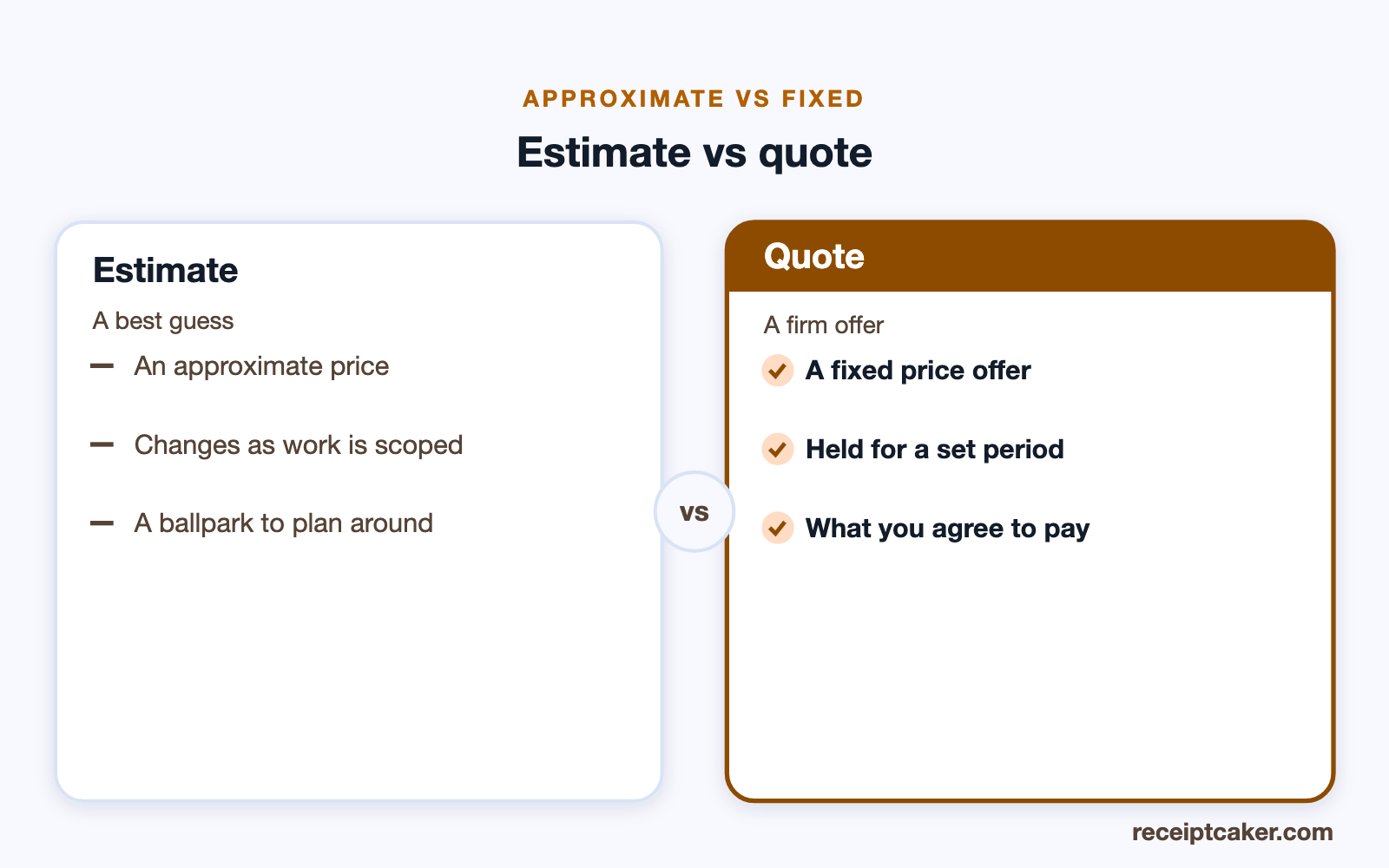
The difference between a quote and an estimate is commitment. A quote is a fixed price: once accepted, that is what the client pays, unless the work itself changes. An estimate is an approximation — your best judgement of the likely cost, given with the understanding that the final figure can move. You offer a quote when you know a job well enough to stand behind a number, and an estimate when there is still real uncertainty about what it will take.
Choosing the right one matters to the client as much as to you. Someone who is quoted a fixed price and then billed more will feel misled, even if the extra was fair, while someone given an estimate knows to expect movement. If your figure could still change, use the estimate generator and say so; if you are committing, quote it. The comparison below sets the two side by side.
Validity, and turning a quote into a bill
A quote should not stay open forever. Your costs can rise, and a client who sits on a months-old quote may expect a price you can no longer meet, so a valid-until date keeps the offer current and gives you a clean reason to re-price if it lapses. How long to hold it is your call and depends on how stable your costs are — the point is to state a date rather than leave the price open-ended.
Once a client accepts, the quote becomes the basis of the work and then of the bill. The line items you quoted carry straight into an invoice — you add an invoice number and payment terms and send it up front, in stages, or on completion. Building both here keeps the numbers consistent from the price the client approved through to the one they pay, and the free invoice generator picks up where the accepted quote leaves off.
Honest quotes for real work
A quote should reflect work you can genuinely do at the price you are offering. It is a commitment the client relies on, so quoting a figure you do not intend to honour, or describing a scope you will not deliver, undermines the trust the document exists to build. Every sample in the builder — the studio name, the client, the line items — is a generic placeholder to replace with the real detail of your offer.
Receipt Caker produces the quote and nothing more. It does not agree the work, hold you to a price, or track whether a client accepts; it lays out and totals what you enter, on your own device. Used straight, a quote is simply how you make a clear, fixed offer and win work on terms both sides understand — which is the whole reason to keep it accurate.